If you have decided to create a new SEO-optimized website or optimize an existing one, compiling a semantic core is the first and most important step, as it will form the basis for the future website promotion and SEO in search engines.
What Is a Semantic Core
We offer a flexible and precise definition of what semantics is, rather than listing numerous variations from different sources: a semantic core is a database of search queries used to optimize and promote a website in search results.
Why Does a Website Need a Semantic Core
A semantic core is the foundation on which effective SEO is built. Without it, a website is like a ship without a map — you can move forward, but you have no clear understanding of where you are going or why. A properly compiled semantic core helps not only attract traffic but also retain the attention of the target audience.
What does a semantic core provide?
➤ Metadata optimization. Key phrases are used in page titles — in the <title> tag — and in descriptions <meta name="description">, helping improve the website’s visibility in search results. ➤ Content improvement. Semantics forms the basis for proper headings (from h1 to h6), text blocks, and image alt text, making content more relevant. ➤ Effective internal linking. Links are associated with important keywords, directing users and search engine bots to the relevant sections of the website. ➤ Performance evaluation. A semantic core helps track rankings for specific phrases and collect statistics to analyze the effectiveness of SEO efforts.
A semantic core is a navigator in the world of SEO. It helps you understand what users are searching for and build the website structure so that answers to their queries can be found quickly, easily, and conveniently.
How to Build a Semantic Core for a Website
Semantic core research is the process of compiling a database of search queries that most accurately reflect a company’s area of activity and the content of its website pages and are used to optimize and promote the website in search results. The process consists of three stages:
➤ Collecting the basic semantics. ➤ Cleaning. ➤ Expansion.
Collecting the Basic Semantics
First, we create the “basic” semantics — the foundation of the entire core: this is the initial set of queries that we will use as a starting point. Below, we will take a closer look at the main methods for collecting basic semantics.
Brainstorming
The process of selecting seed keywords involves collecting words and phrases that potential visitors enter into the search bar, based on the company’s specifics, product category names, and the products themselves. Company employees are usually involved in this process because they know the niche and the needs of the target audience better.
For example, the main seed keywords for an agricultural online store may include:
➤ sowing ➤ seedlings ➤ for seedlings ➤ planting material ➤ seeds ➤ seeds (plural) ➤ cuttings ➤ sprouts ➤ saplings
If we add the name of a vegetable to these terms (for example, “tomato” or “tomatoes”), we get the basic semantics for further work. Do not forget to take singular and plural forms, as well as different word forms, into account:
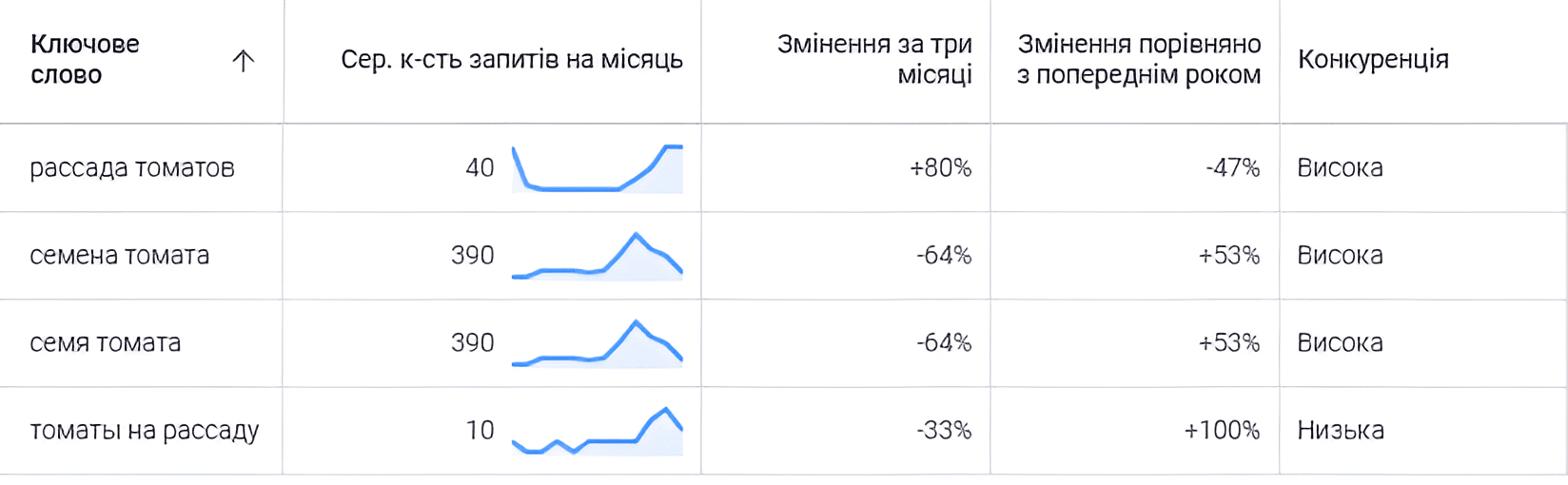
➤ tomato seedlings ➤ tomatoes for seedlings ➤ tomato seeds ➤ tomato seeds
Example of several key phrases with a search volume of 10 or more in Ukraine:
Competitor Analysis
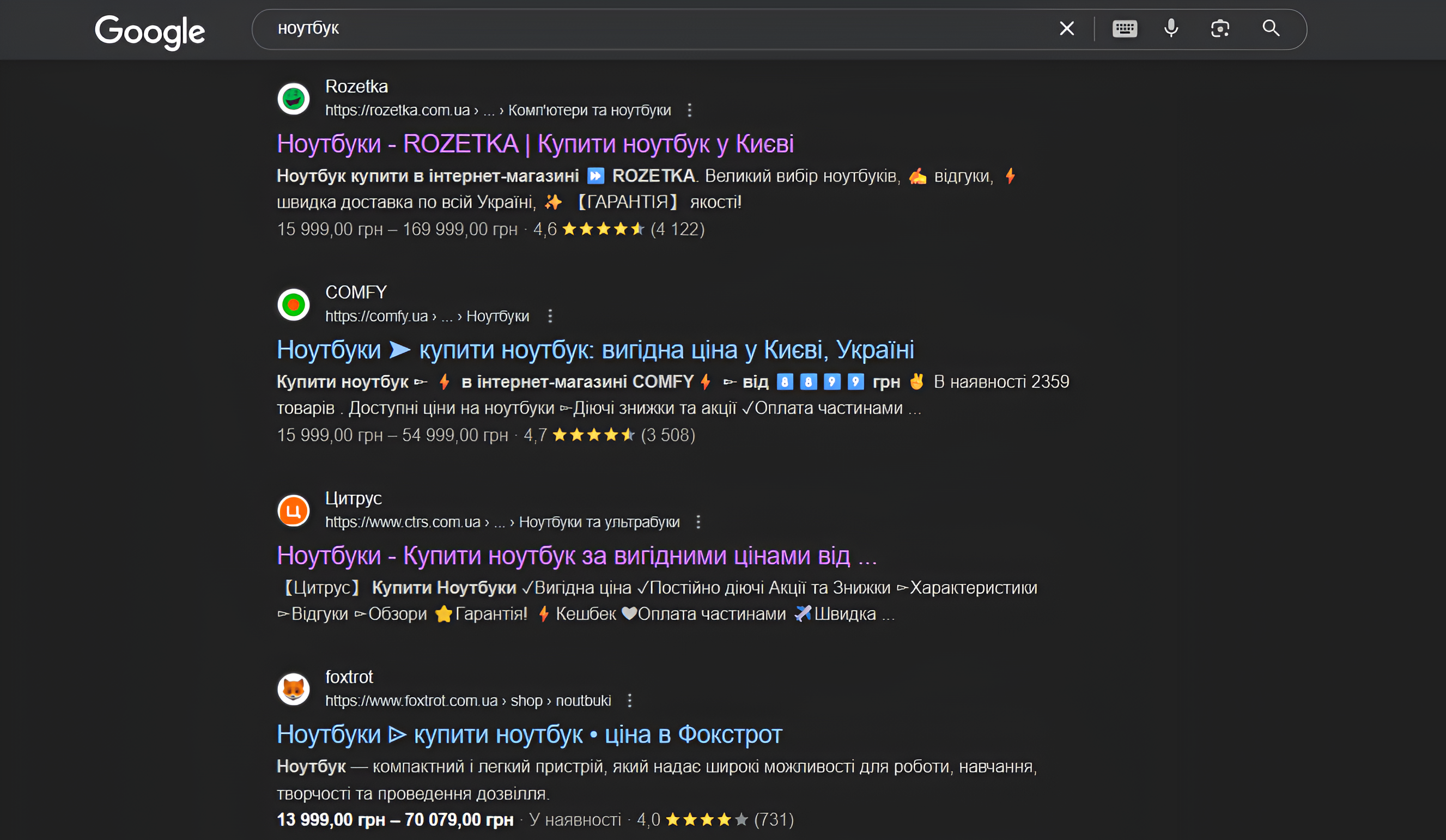
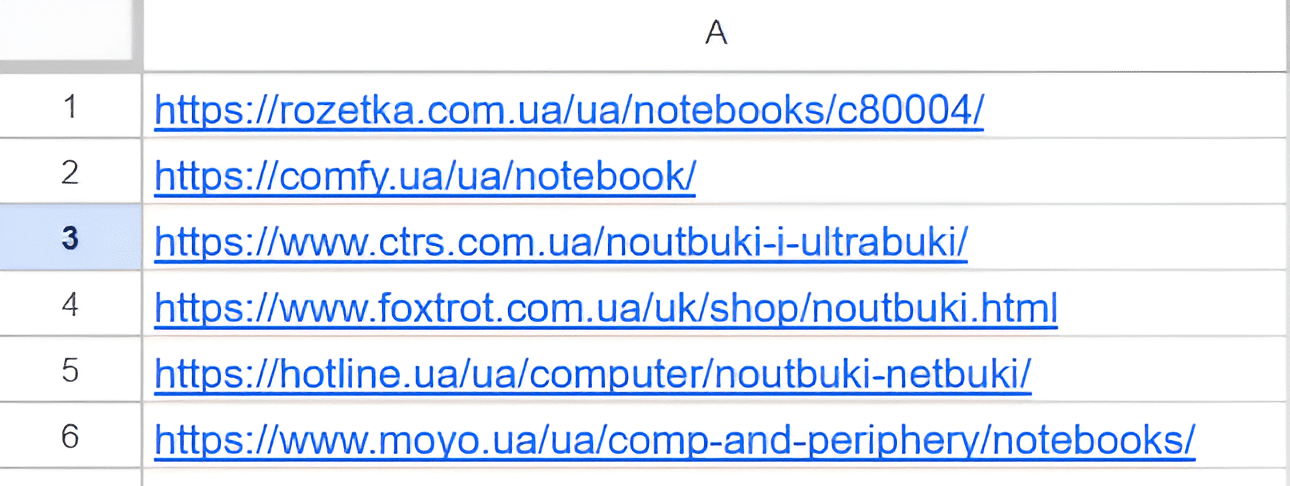
To identify competitors’ semantic cores, collect key phrases for the entire domain or individual pages that rank in search results. To do this, enter the required query into the search bar — for example, “laptops” — copy the URLs of pages from the TOP 3 search results and use Serpstat to check which phrases each of these pages ranks for.
1. Enter the query you are interested in into the search bar, for example, “laptops”:
➤ Copy the URLs of the pages to be analyzed from the TOP 6 search results:
➤ Check the key phrases for which the competitor’s page ranks using Serpstat:
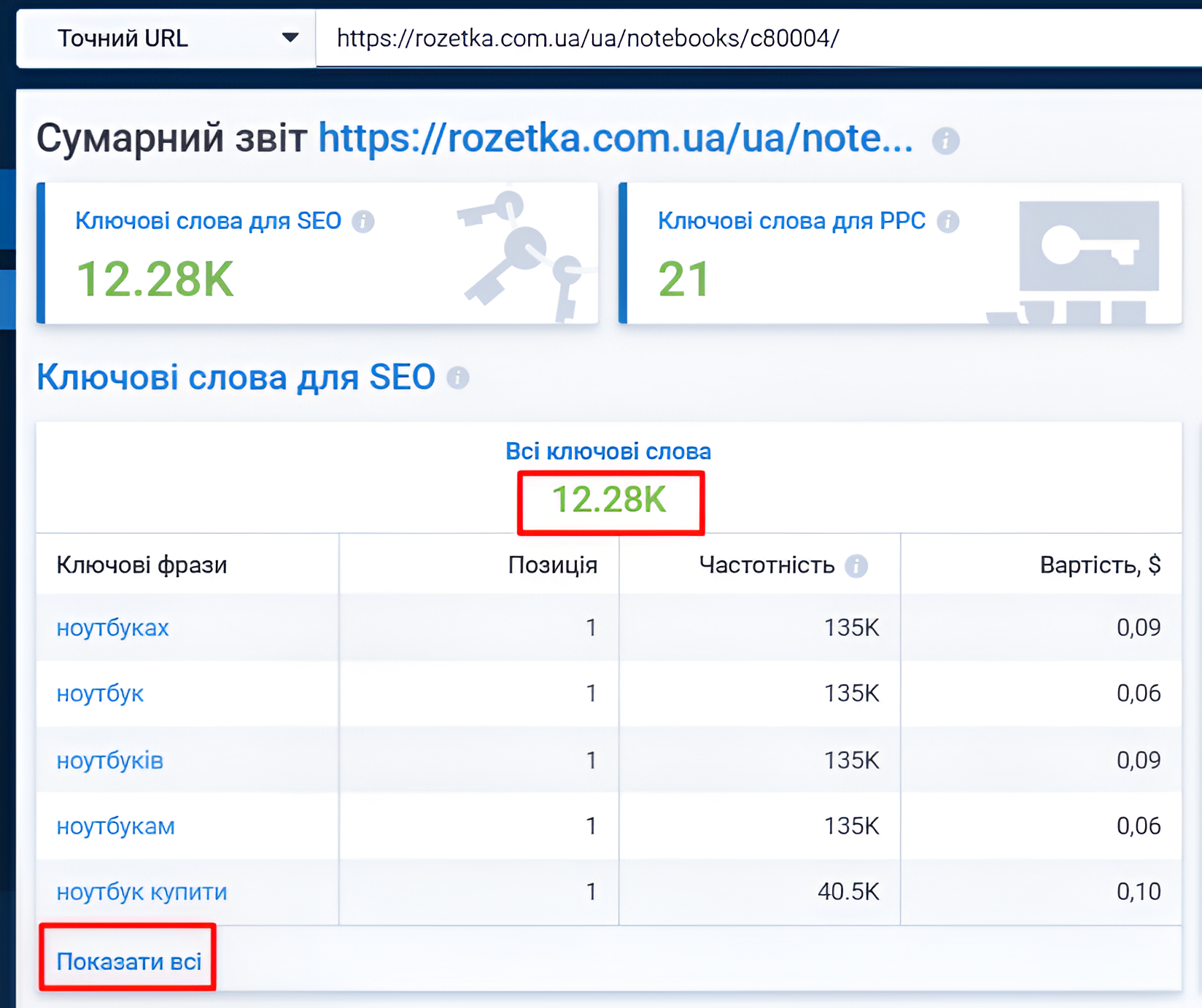
2. Enter the page URL into the field and click “Search”:

3. In the summary report, click “Show all” to see all the key phrases for which the analyzed page ranks:
4. Set up a filter (query volume “greater than” 10 and misspelled phrases “does not contain”):
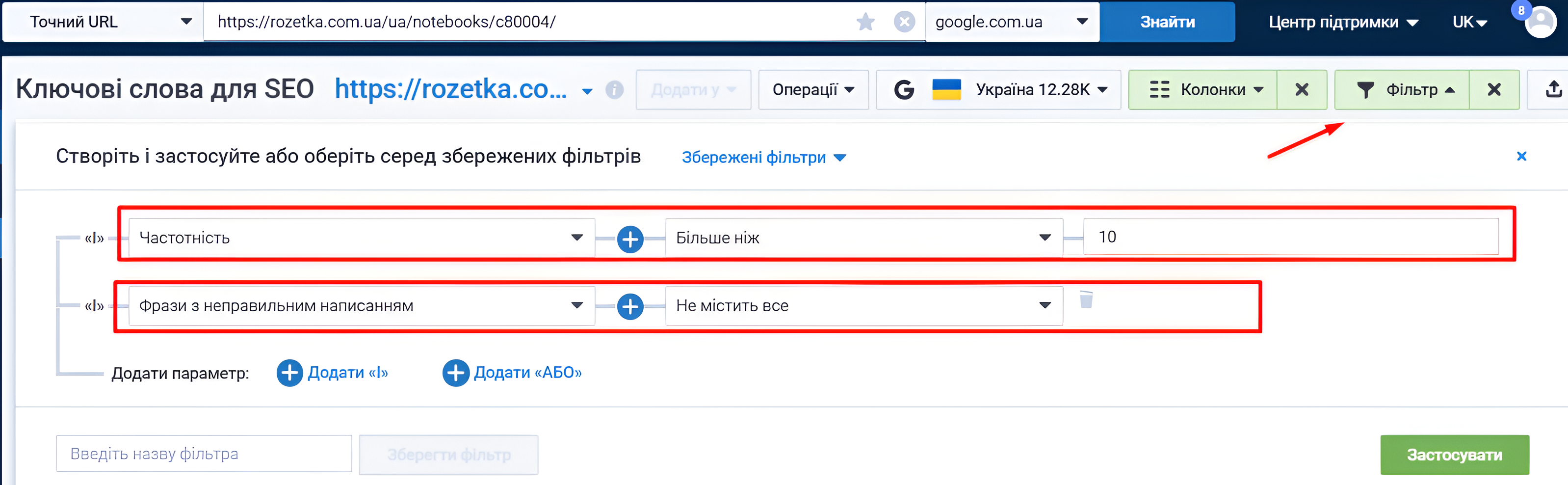
Note! We have shown only an example of filtering in Serpstat. You can configure the filters in any way that is convenient for you and suits your goals.
5. Click the “Export” button on the right side of the screen and select the format that is most convenient for you:
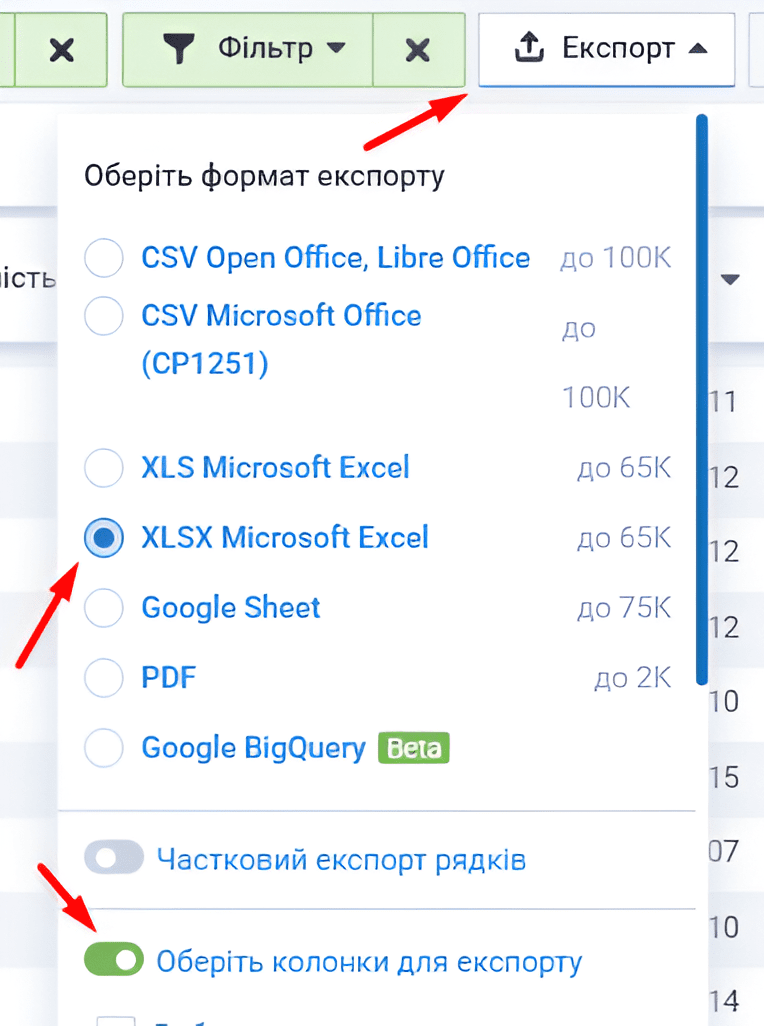

Note! Check the boxes for the fields containing information that you may need later. For current work with the semantic core, the fields marked in the screenshot above are sufficient.
Cleaning
Cleaning a semantic core is the process of removing search queries that do not correspond to the company’s activities or the content of the website pages. After collecting the basic semantics, it must be prepared for the next stages of working with the semantic core (expansion and clustering).
We clean the semantics of:
➤ Branded queries (in this example, “rozetka,” “rozetka” in Latin characters, etc.):
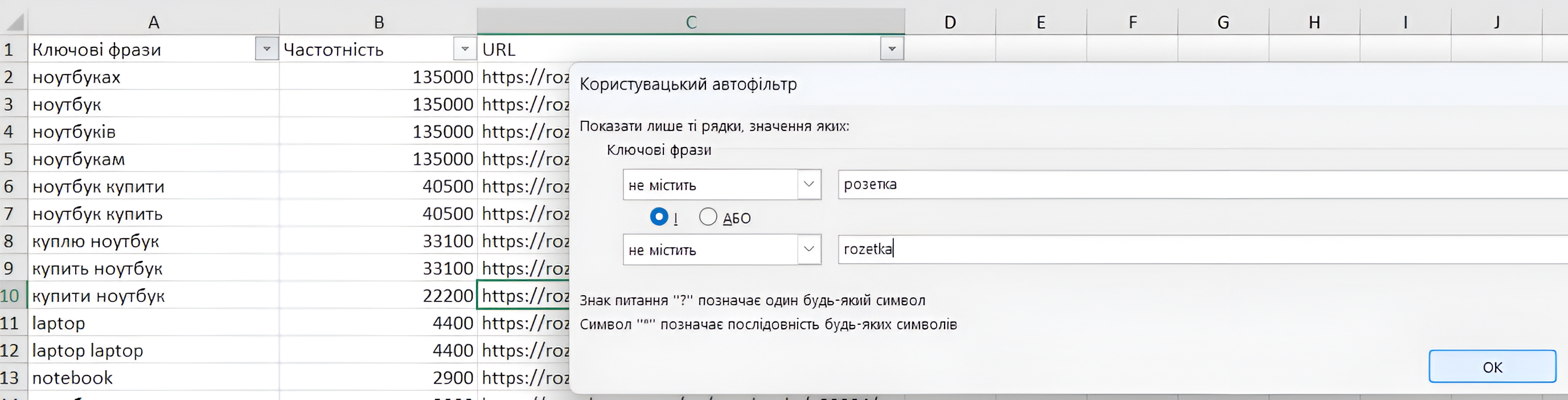
➤ Queries that are not relevant to your website (for example, “used,” “second-hand,” etc.):
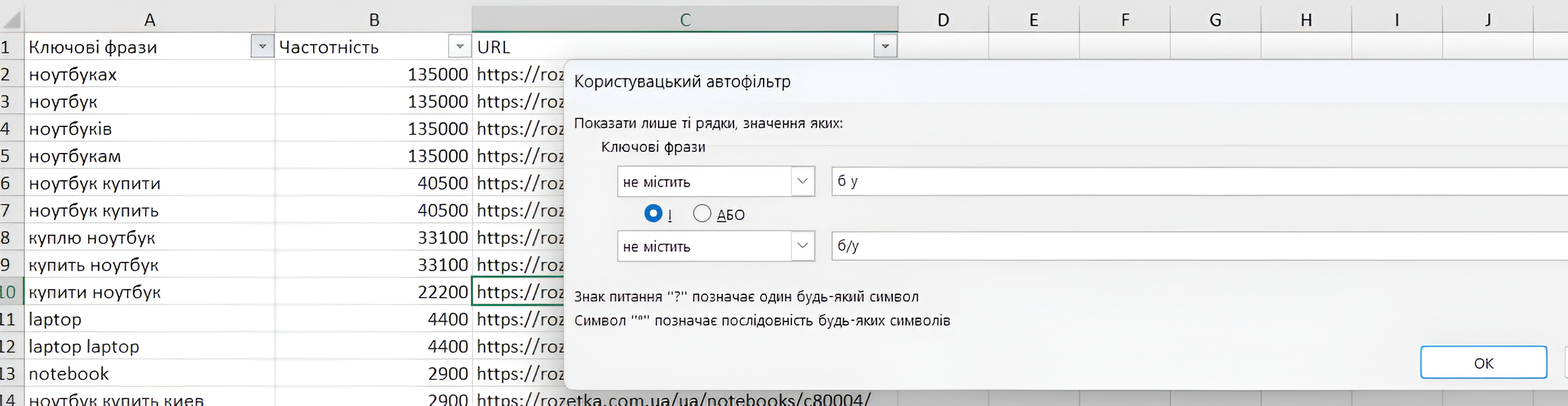
➤ Implicit duplicates:
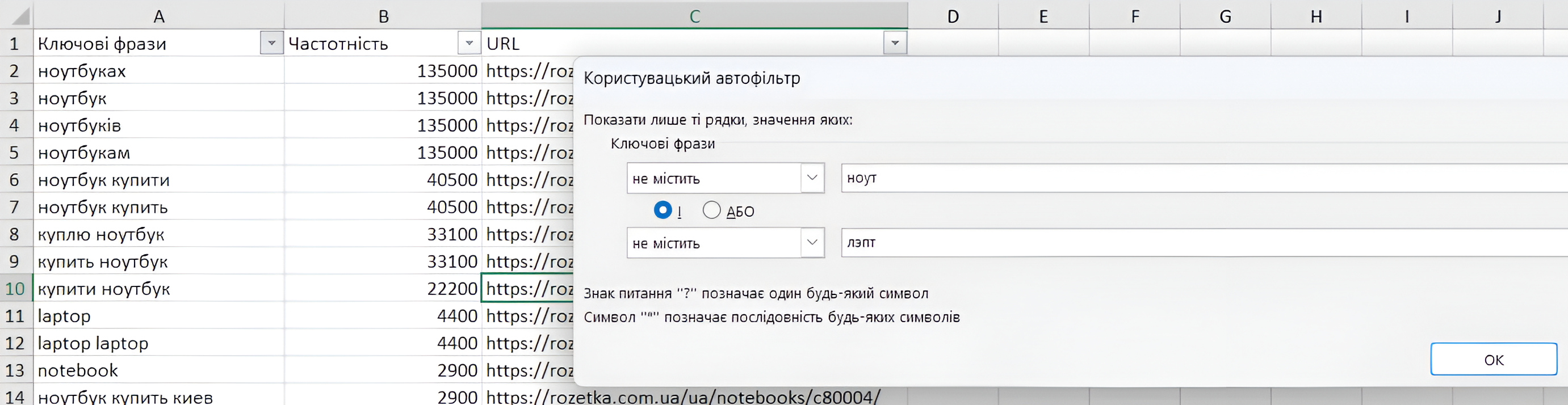
Note! Key phrases considered implicit duplicates contain the same words (number, word form), for example, “buy laptop” and “laptop buy.” Queries such as “buy laptop” and “buy laptops” are not implicit duplicates because the number is different.
Important! Cleaning a semantic core is a large and time-consuming task. Clean the semantic core carefully and thoroughly to improve the effectiveness of subsequent work and save time in the long run.
Expansion
After collecting and cleaning the basic semantics, the expansion process involves searching for and collecting new relevant queries for each search query that were not initially included in the basic semantics. When expanding the semantic core, we will collect:
➤ Keywords from Keyword Planner. ➤ Search suggestions (SERP). ➤ Related searches (SERP).
Note! SERP stands for search engine results page.
Collection Methods
There are two ways to collect a semantic core:
Manual
The manual method of collecting a semantic core means working without third-party software and services, with the exception of search engine tools, such as Google Keyword Planner.
Advantages of this method: independence from software, high query processing speed.
Disadvantages: low efficiency when working with large amounts of data, difficulty collecting search suggestions and related searches.
The algorithm for manually expanding a semantic core:
1. Keyword Collection:
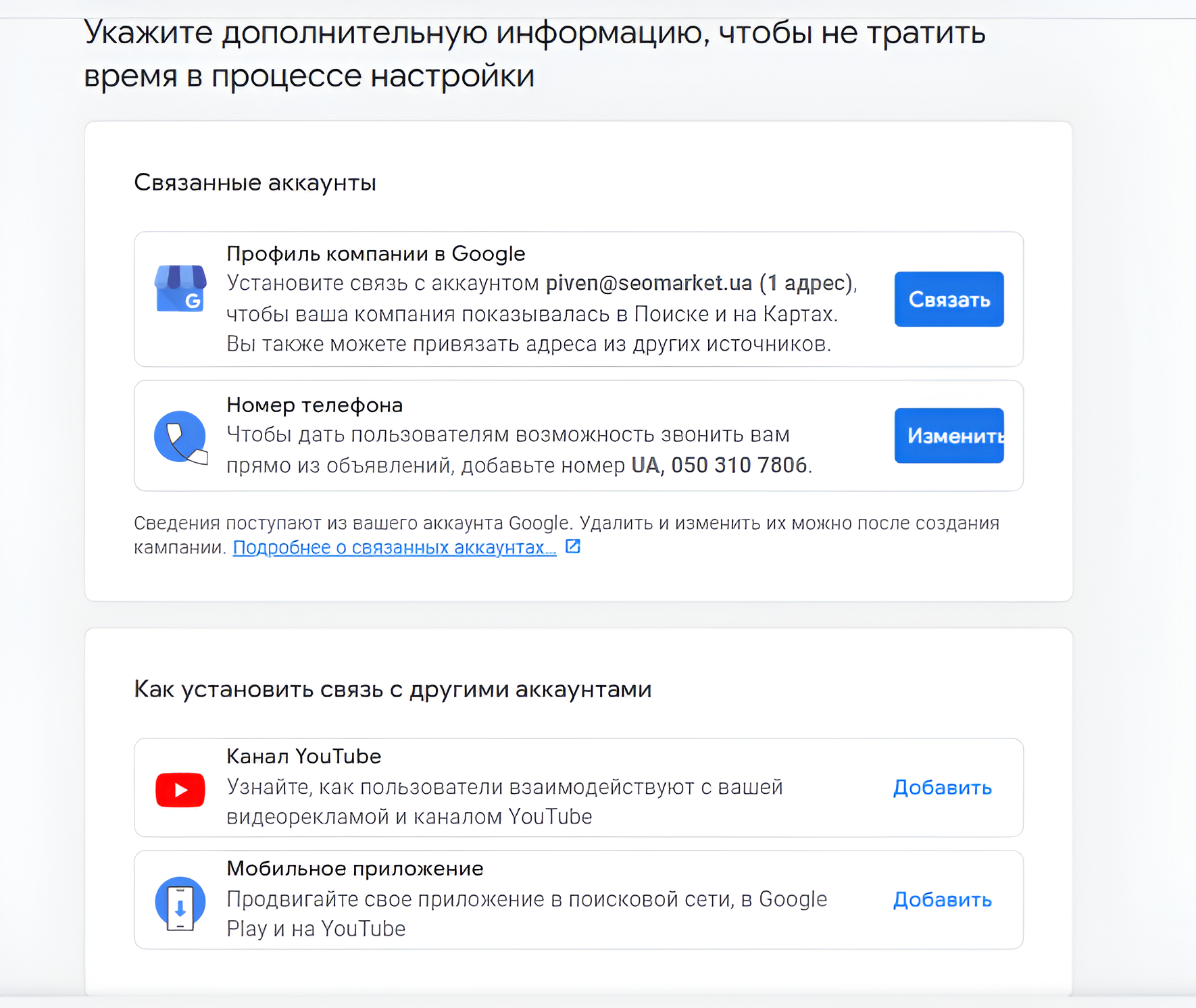
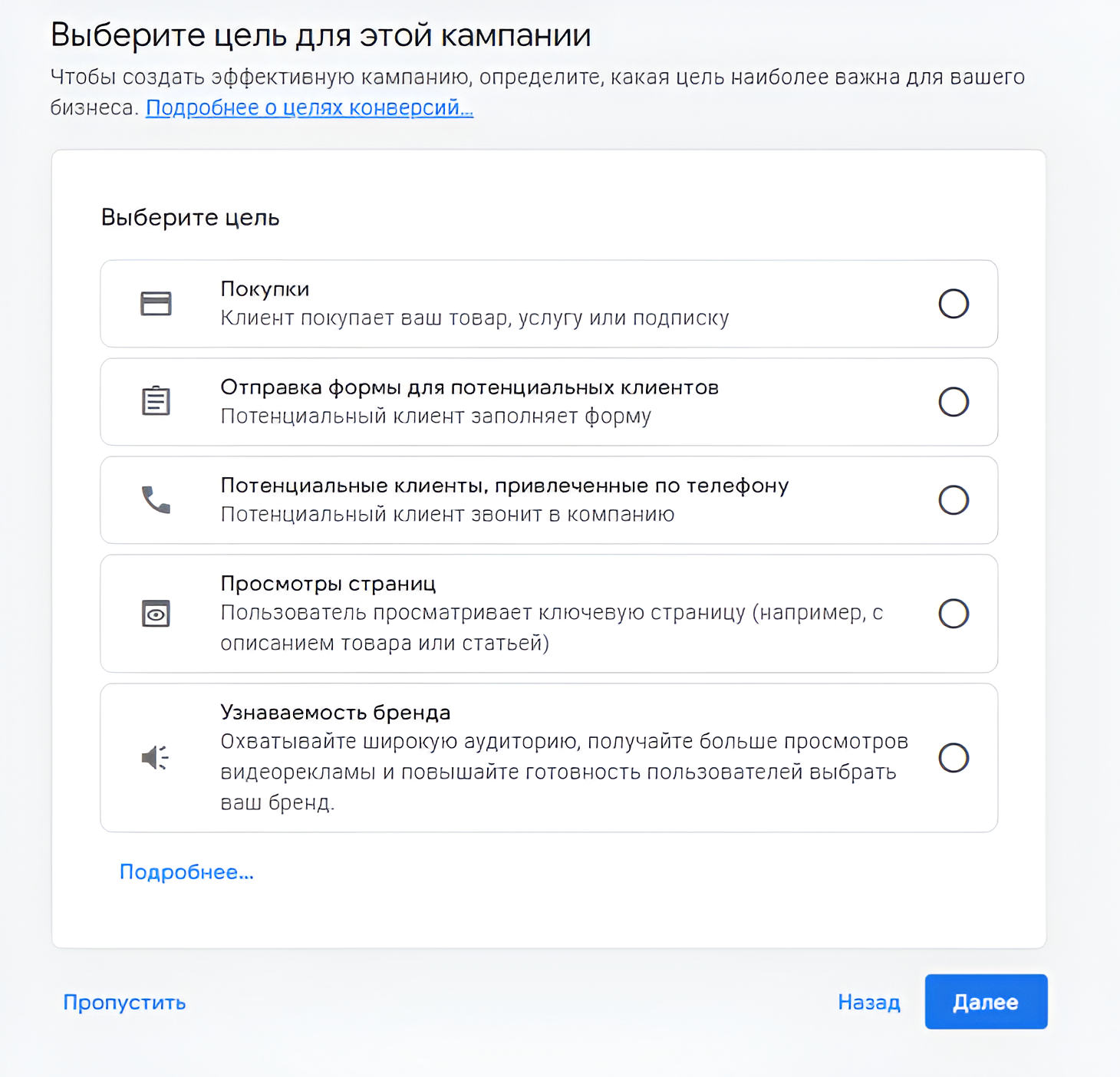
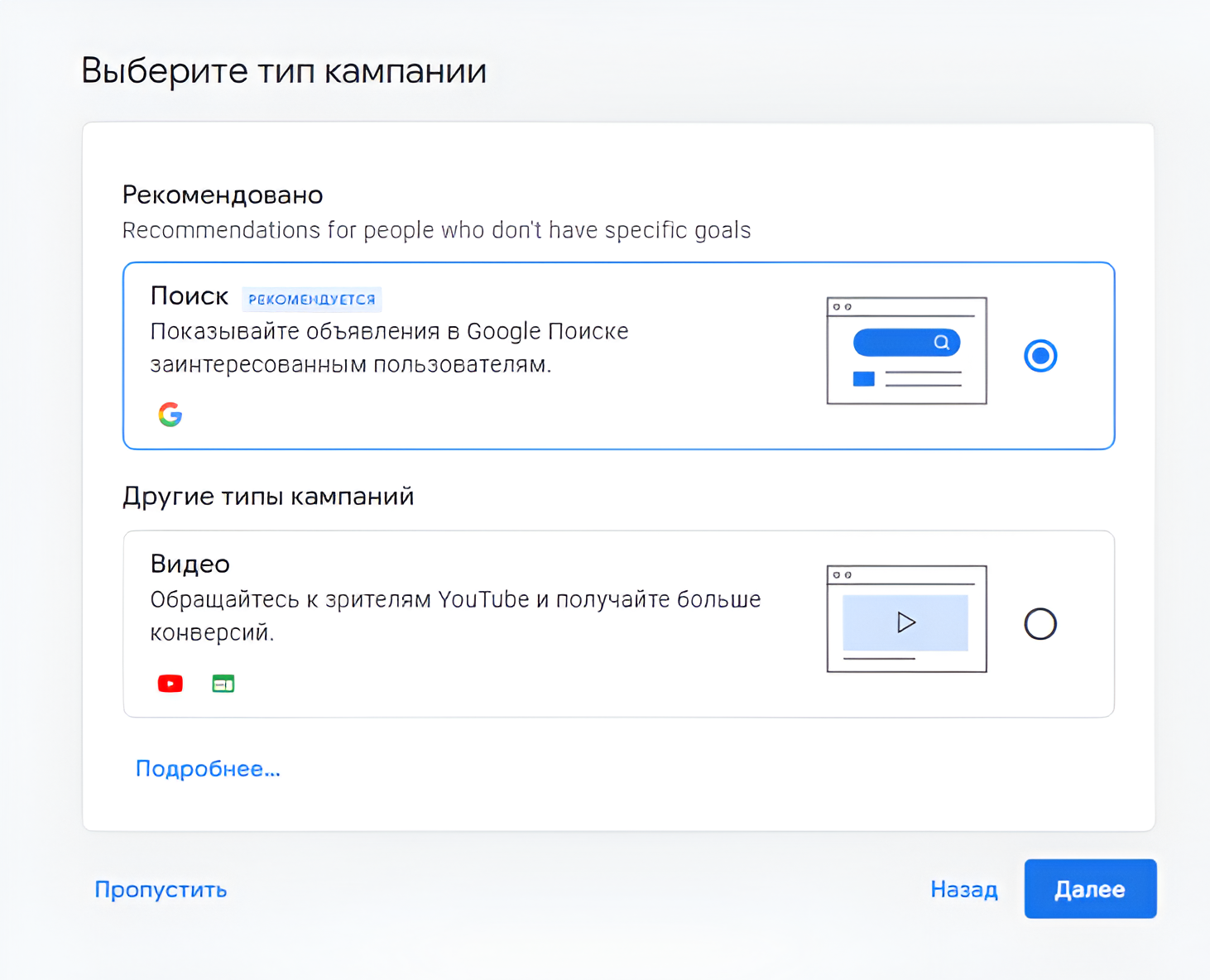
1.1. Create a Google account: 1.2. Create a Google Ads account:

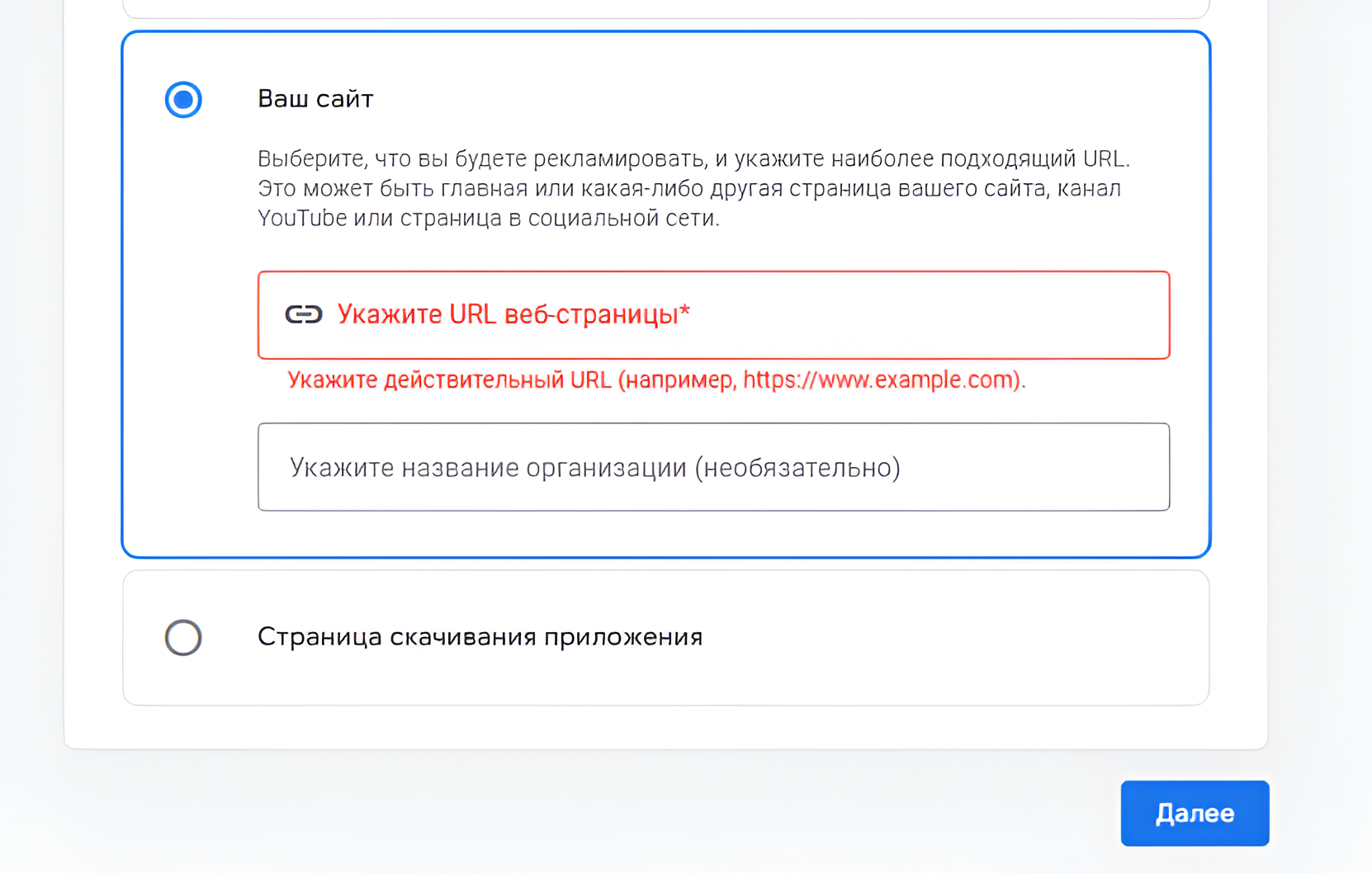
1.3. Sign in to your Google Ads account to access the Keyword Planner tool:
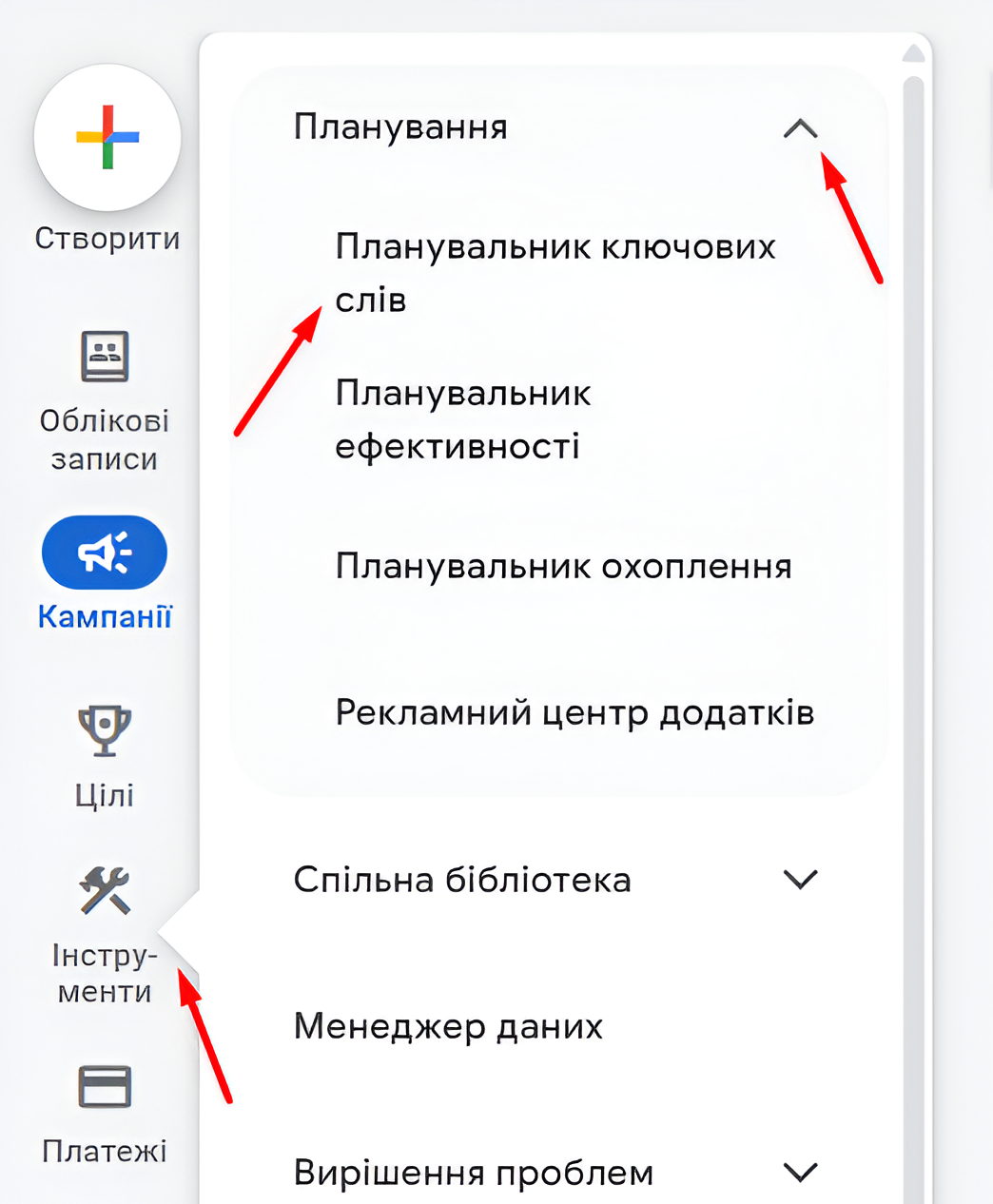
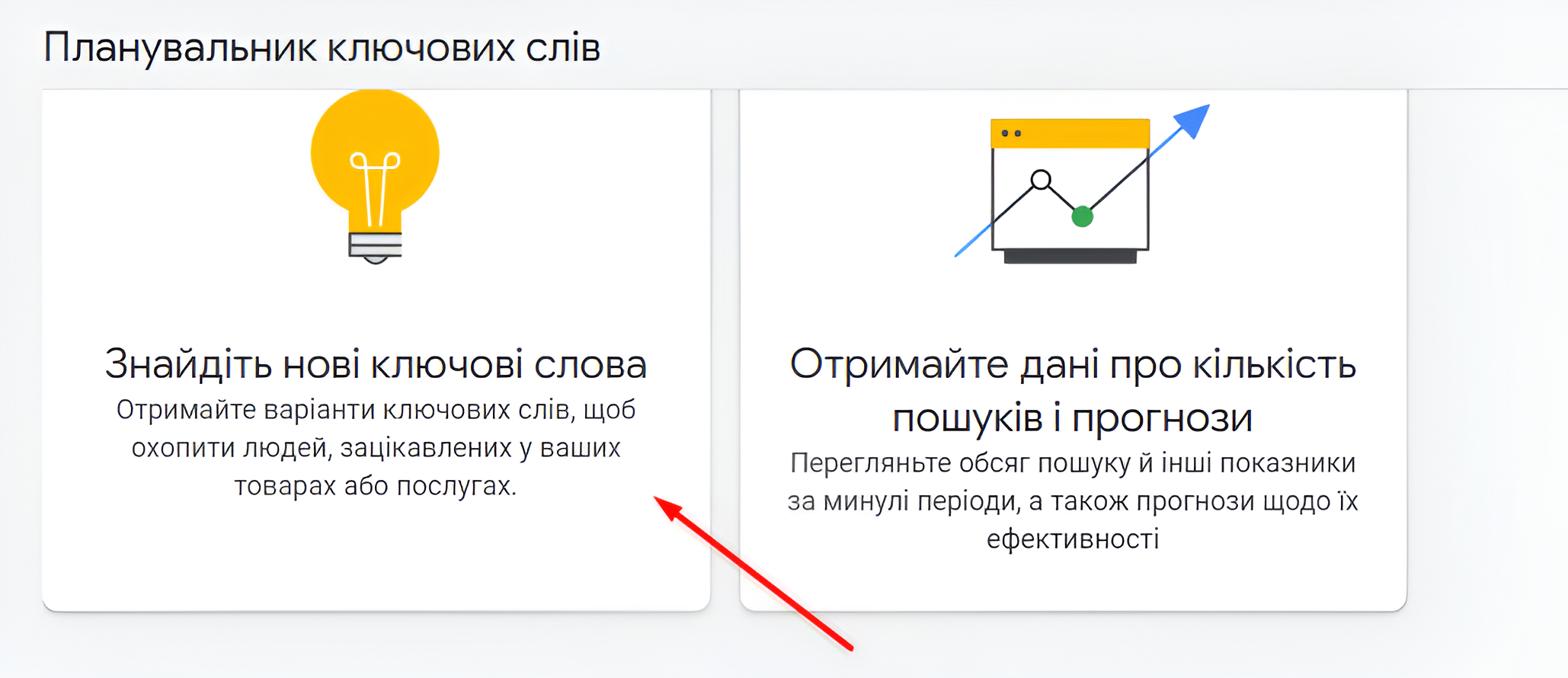
1.4. Select “Discover new keywords”:
1.5. Enter the key phrase you want to use to expand your semantics (up to 10 phrases at a time) and click “Start”:
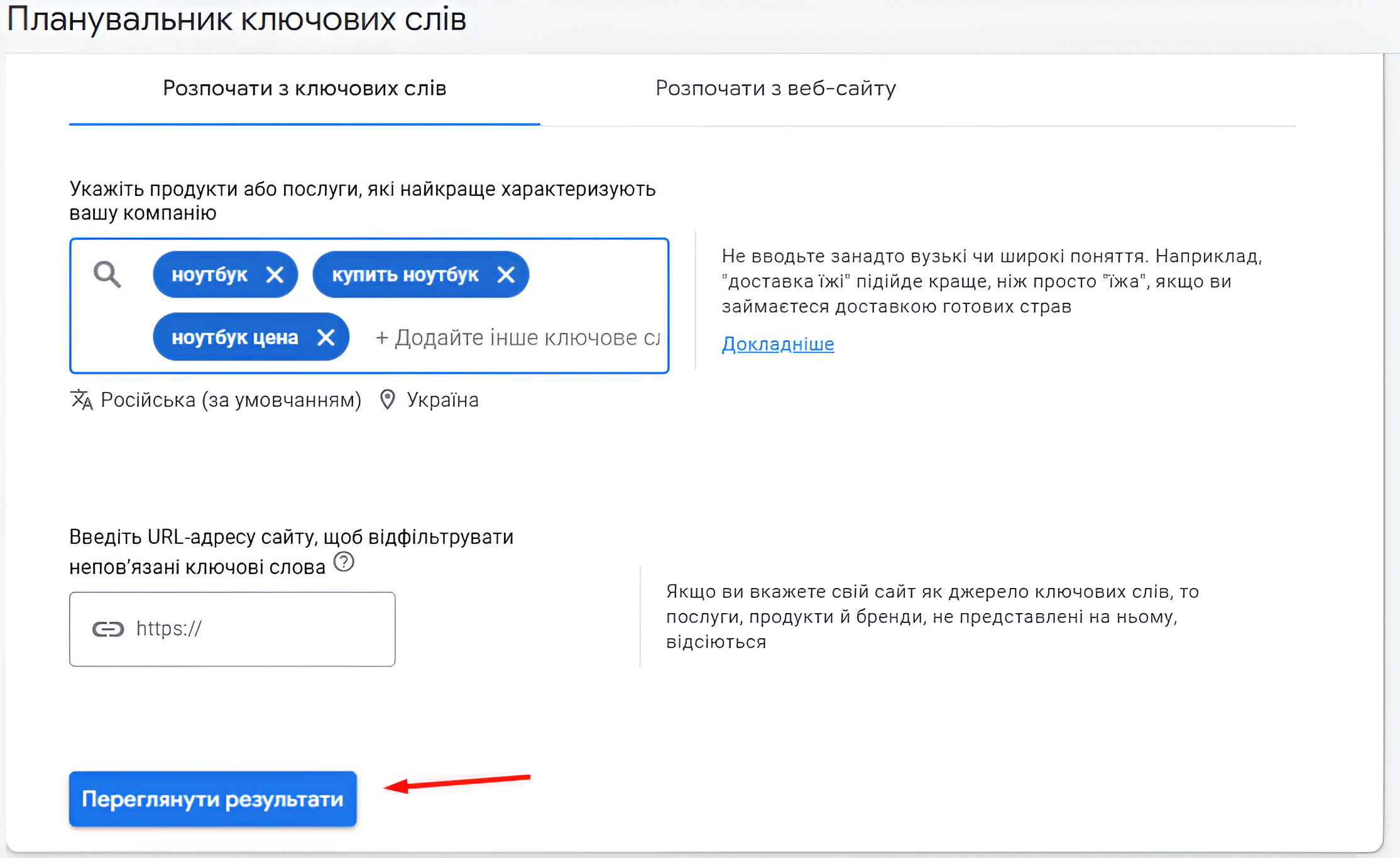
1.6. Download the keyword suggestions:
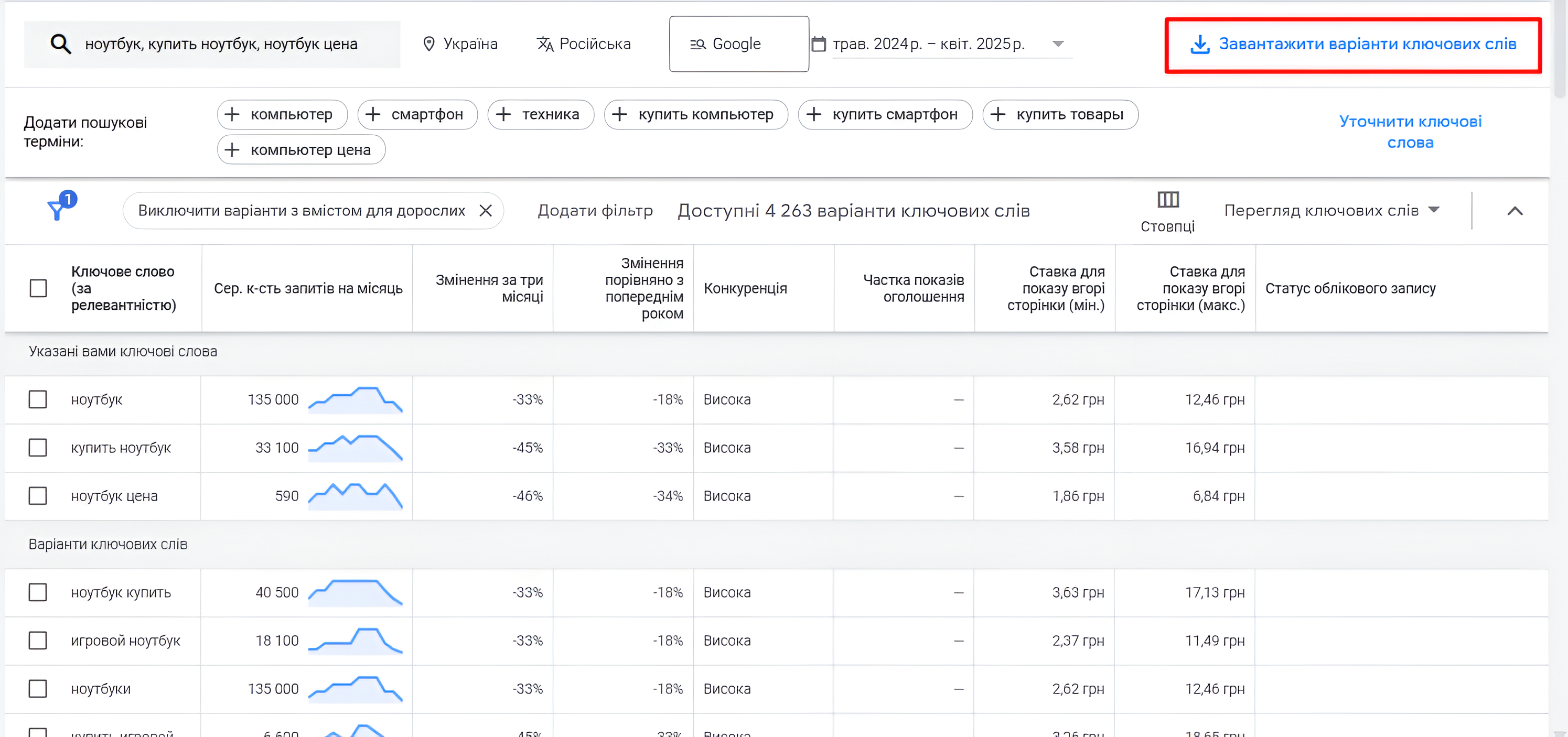
1.7. Compare the list of queries in the file downloaded from Keyword Planner with the initial semantic core, remove duplicate queries, and perform cleaning.
2. Collecting Search Suggestions:
2.1. Open Google; 2.2. Enter a phrase into the search bar, for example, “buy hp laptop”:
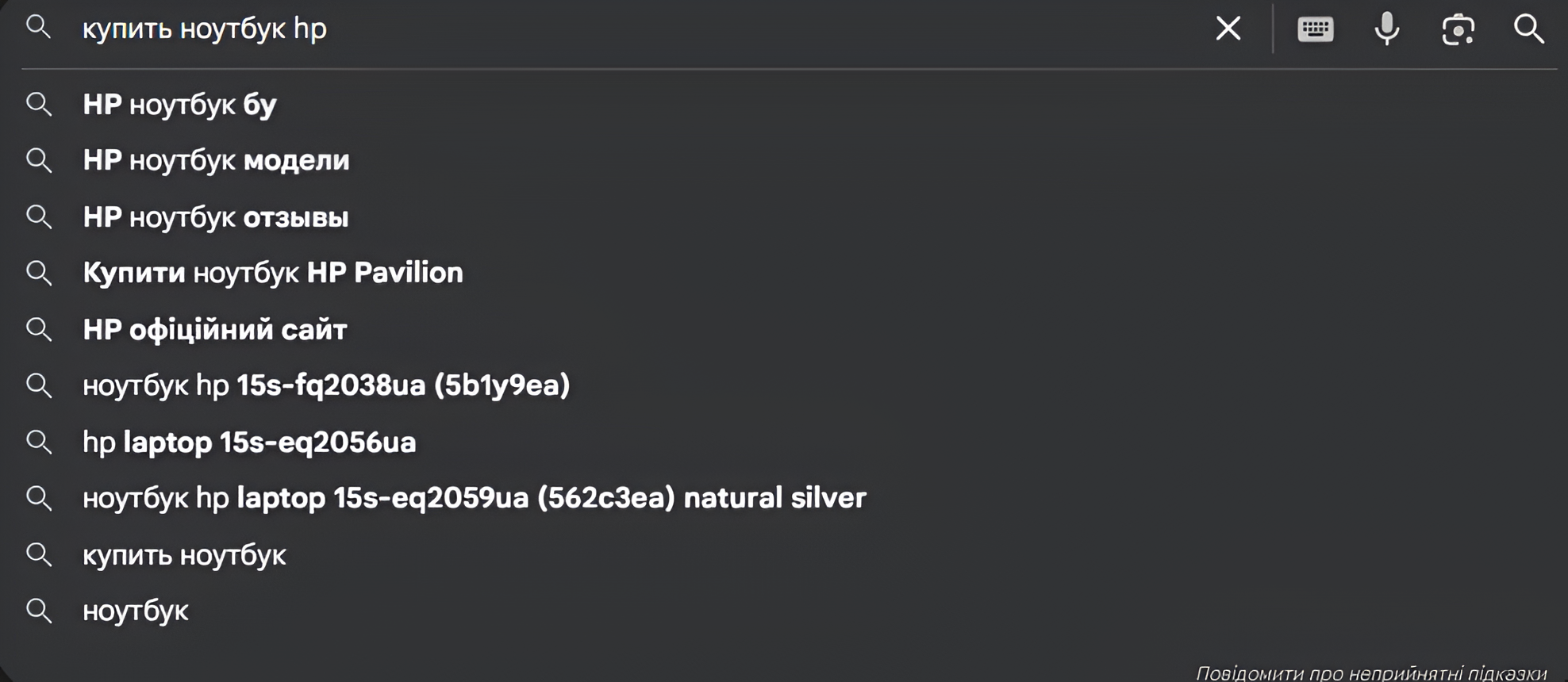
2.3. Add the suggestions to the semantic core spreadsheet; 2.4. Compare them with the initial semantic core, remove duplicate queries, and perform cleaning.
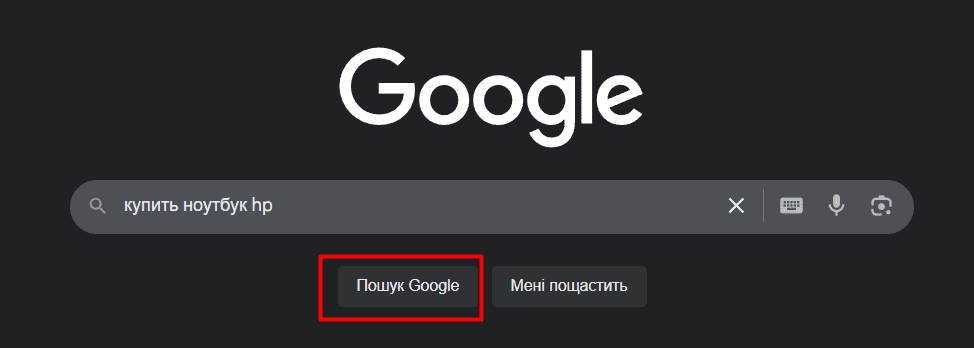
3. Collecting Related Searches:
3.1. Enter a query into the search bar and click “Google Search”:
3.2. Scroll down the search results page and record the related searches:
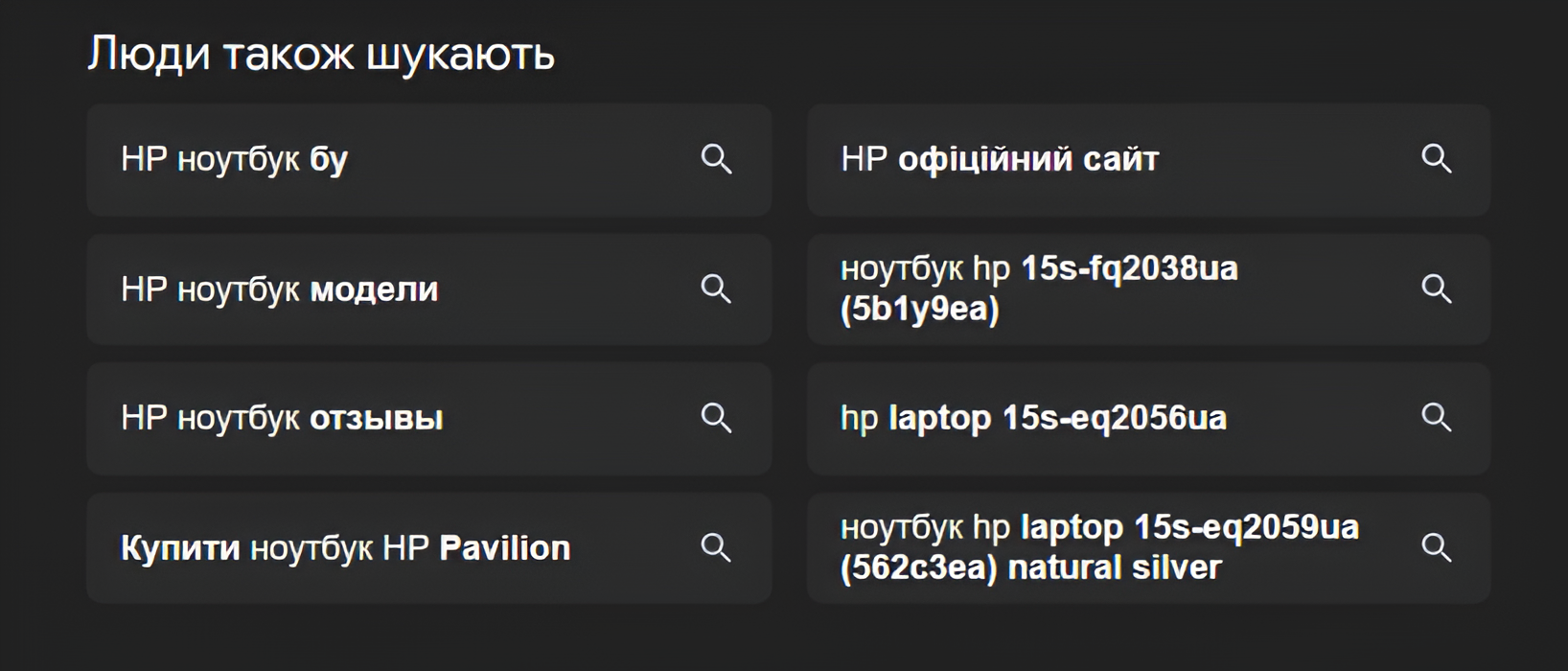
3.3. Compare them with the initial semantic core, remove duplicate queries, and perform cleaning.
Collecting a semantic core without using third-party software and services, with the exception of search engine tools such as Keyword Planner, is a large and time-consuming process. You are not dependent on software or services and can get results quickly, but you have to analyze each phrase separately and perform many actions in a spreadsheet to avoid duplication.
Automated
Semantic core research using third-party software and services, for example:
➤ Serpstat; ➤ Ahrefs; ➤ etc.
Advantages: high efficiency when working with large amounts of data, easy collection of search suggestions and related searches.
Disadvantages: dependence on software and services, low (medium) phrase processing speed.
Let’s Look at an Example Using Serpstat
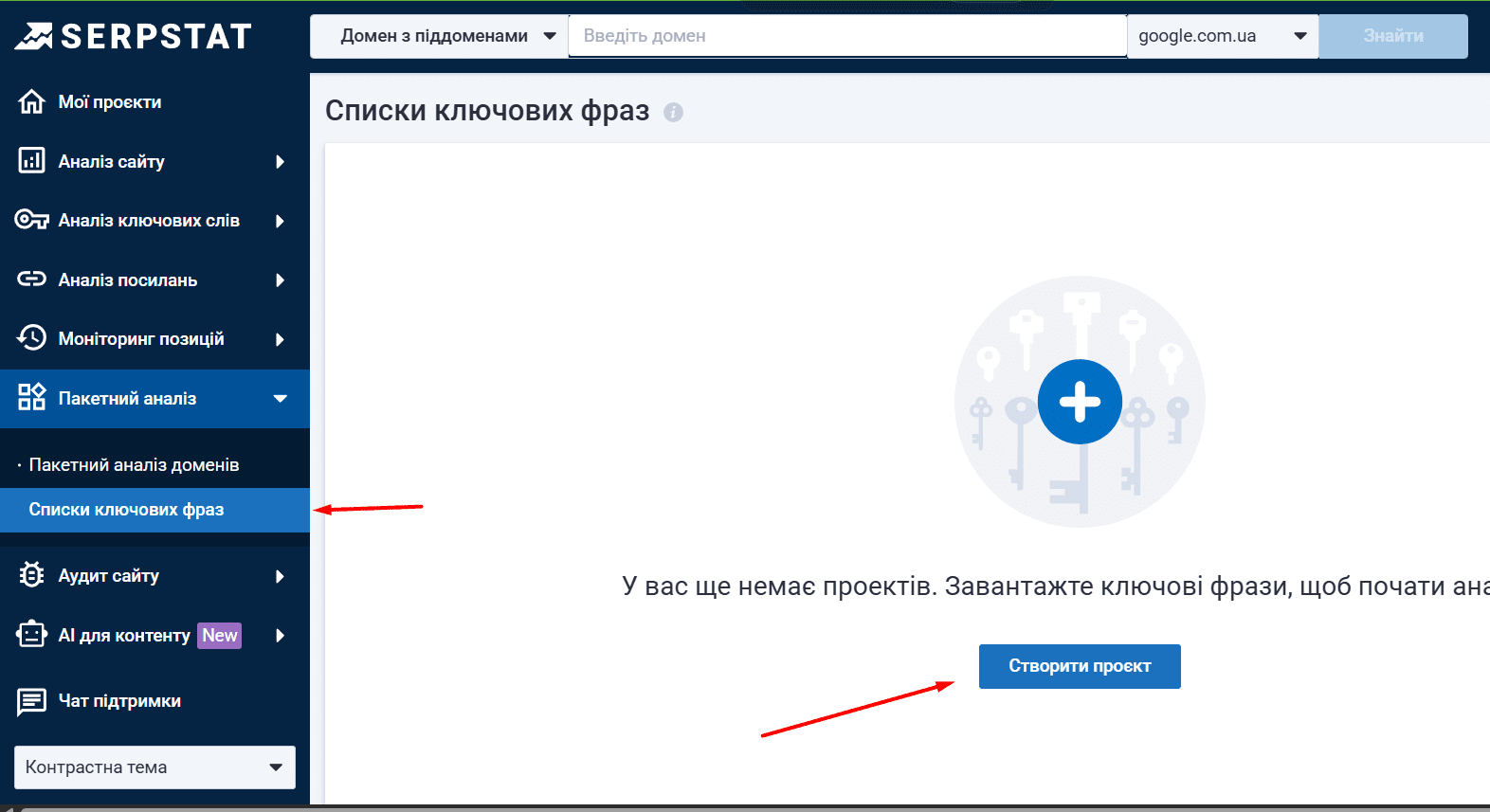
4.1 Click “Batch Analysis,” find “Keyword Lists,” and click the “Create Project” button.
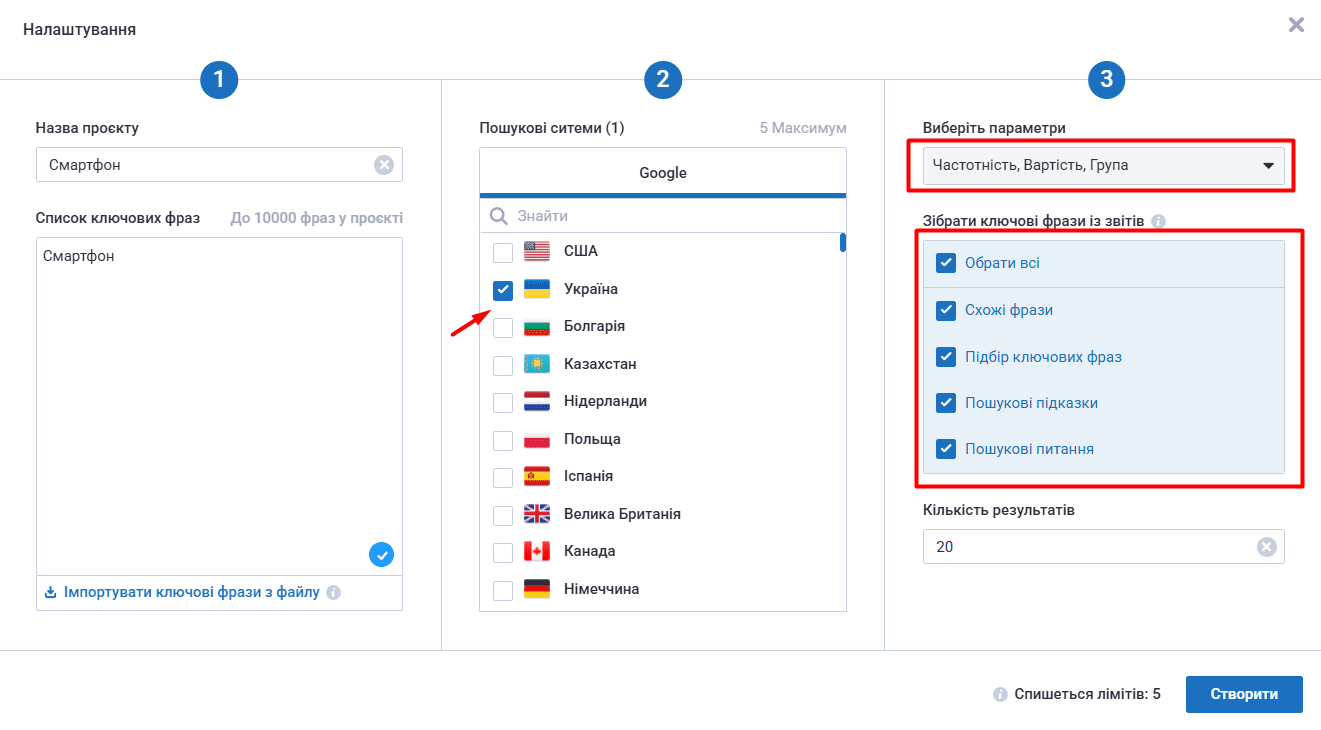
4.2 Fill in the required fields, enter the keywords, and select the region.
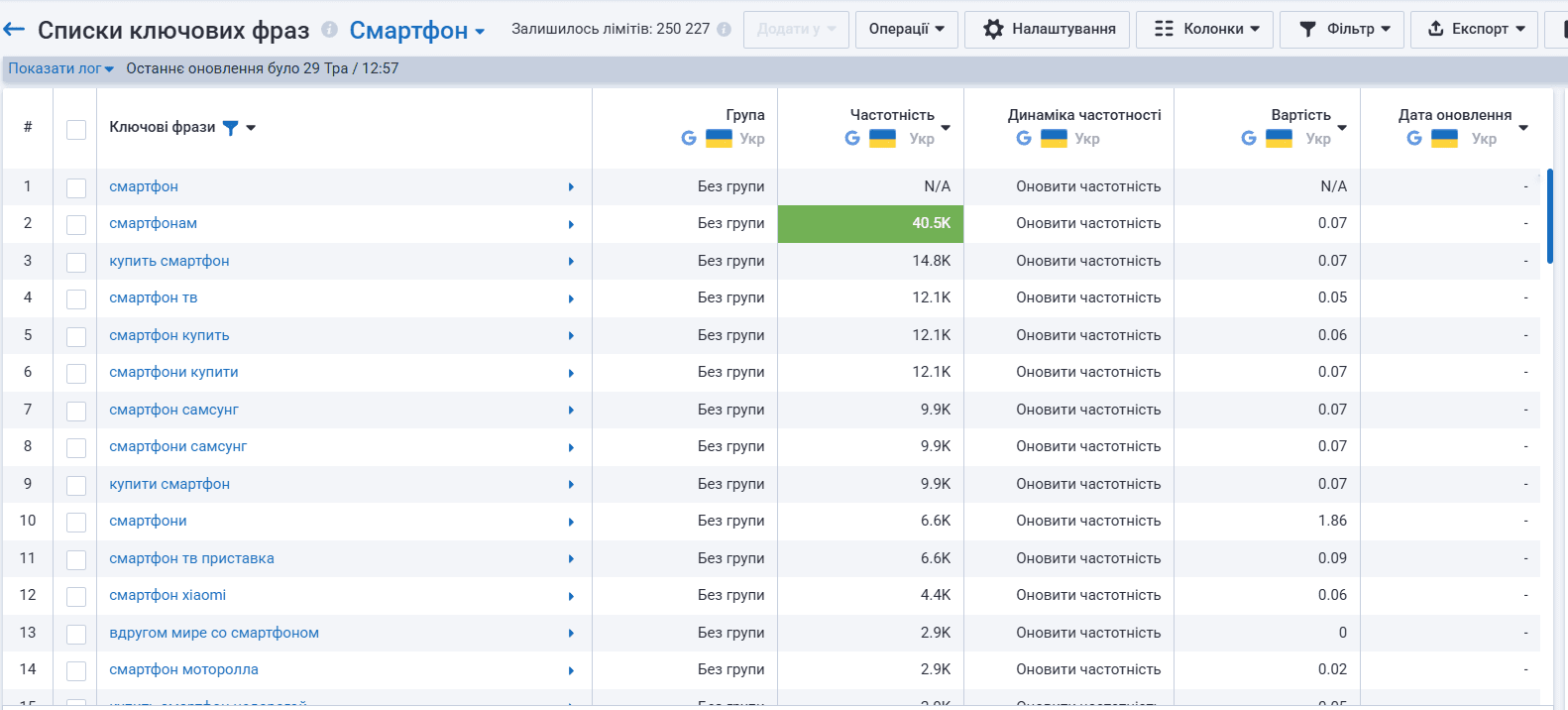
4.3 Get the list of keywords.
Recommendations
➤ To build a website’s semantic core, use both methods (manual and automated) together — the so-called “golden mean” — as this allows you to compensate for the disadvantages of one method with the advantages of the other. ➤ After each iteration, clean the collected queries by removing those that are not relevant to you.
If you would like to see an example of a semantic core or still have questions, leave a comment — we will be happy to answer! You can also order semantic core research for your website from us.